


MGx8 Logger
Live data, Log Viewer, Dyno and Drag. Need license to connect to a vehicle.
- Version
- v0.9.1
- Requires
- Windows 10 or later
- Size
- 77 MB
$19 USDSingle VIN, one vehicle
$49 USDUnlimited VINs, one computer
Built for BMW B38/B48/B58/S58/N63/S63 engines, MGx8 gives tuners and enthusiasts the tools to analyze engine data, modify ECU calibrations and safely read or write supported MG1 ECUs.
A complete software ecosystem for logging, calibration editing and ECU flashing.
It starts with data. MGx8 Logger records what your engine really does: live data, log analysis, road dyno and drag timing in one app.
v0.9.1, 77 MB, Windows 10 or later.
Live data from a car needs a Logger license. Get one.
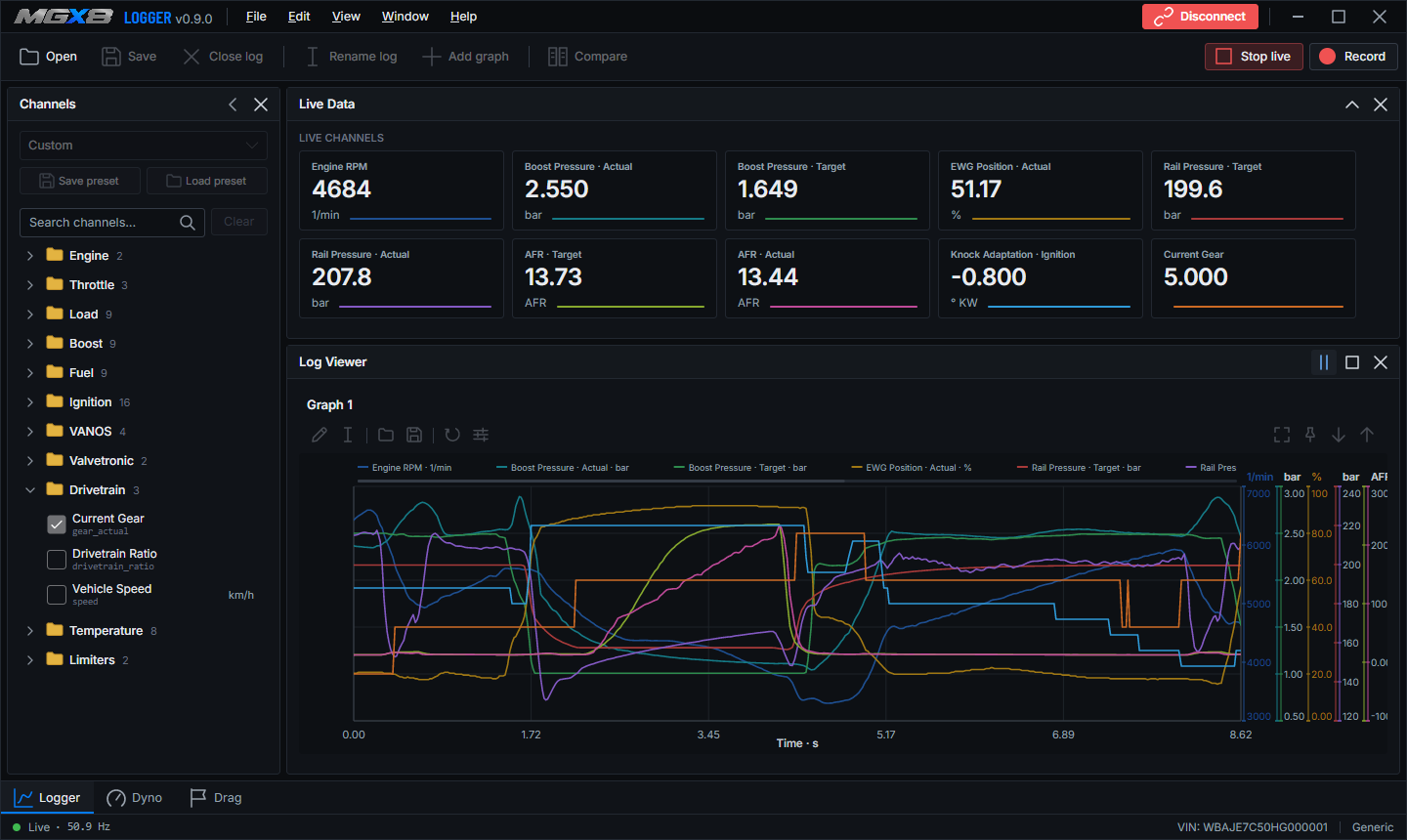
Choose from 50+ available channels and watch up to 40 at once, at up to 50 Hz: engine speed, boost, ignition, fuel, torque, temperatures, VANOS and more, in the units you prefer.

Put boost, rail pressure and more on the same timeline, with up to five graphs and five channels on each. Wide-open-throttle pulls are found for you, and you can export a CSV range or save a graph as a PNG.

Turn a wide-open-throttle run into estimated engine power, wheel power and torque curves. Set vehicle mass, drivetrain loss and the conditions, and open saved pulls to see how the curve changed.

See how a run unfolds from launch to the line, with a time for every 10 km/h step and the time and speed of each gear change. Run 0 to 100 km/h, 100 to 200 km/h or a quarter mile.
MGx8 Tuner is a calibration editor for MG1 BIN files. Open a dump, find a map by name, edit it as a table, a curve or a 3D surface, compare it with another file and save.
v0.1.12, 50 MB, Windows 10 or later.
Applying the built-in Tune Assistant needs a Tuner license. Get one.

Table, 2D curve and 3D surface sit side by side, colored by value. Drag a point on the surface or step through a row with the keyboard. Every edit is one undo step and stays inside the limits of the definition.

Pick a stage and a fuel and Tuner lists every map it will change. Untick what you do not want, apply, and take it all back in one step if you change your mind.
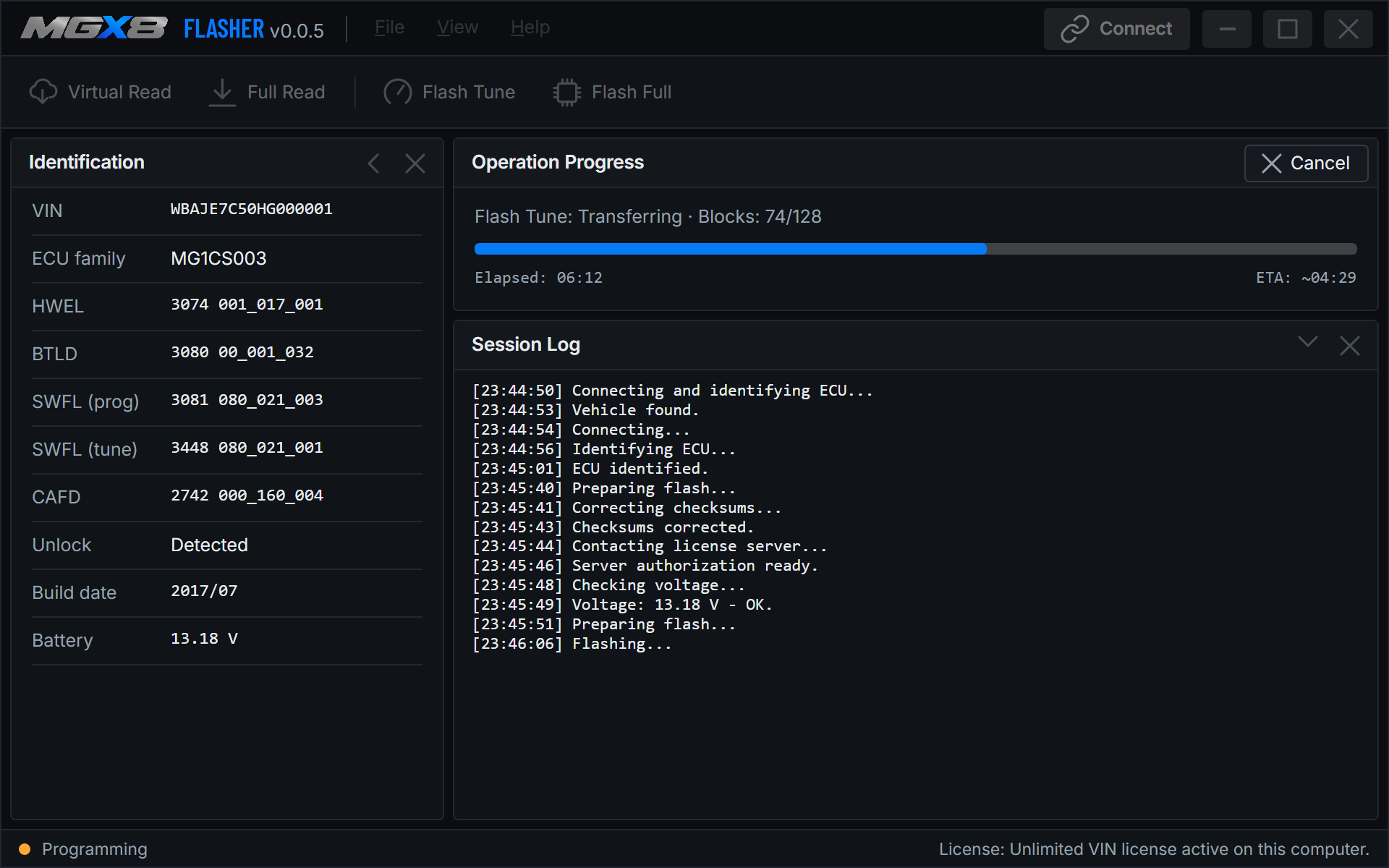
Put it on the ECU. MGx8 Flasher connects over ENET, identifies the ECU, saves a full backup and writes the calibration.
Before anything is written, MGx8 Flasher validates the file, corrects checksums, checks battery voltage, verifies the ECU identity and confirms that a valid backup is available. Every flashing session is recorded in a journal.
Live data, Log Viewer, Dyno and Drag. Need license to connect to a vehicle.
Open, edit, compare and save BIN files. The built-in Tune Assistant needs a Tuner license.
Identify the ECU, back it up and write the calibration over ENET.
MGx8 needs Windows 10 or later, an internet connection for activation, license checks and updates, and an ENET cable or MHD dongle to connect the PC to the vehicle. Prices are in USD; applicable tax is calculated at checkout. Questions? Email info@mgx8tech.com.
Before ordering, review our Terms of Use, Refund Policy and Privacy Policy.
Modifying emissions- or safety-relevant calibration may be illegal for road use. You are responsible for how you use MGx8 tools.
See the current supported vehicle list below. Compatibility can depend on the exact engine, ECU and vehicle configuration.
All apps are free except for the MGx8 Flasher.
Yes. An MHD tune does not affect MGx8 compatibility on a supported vehicle.
Yes. An xHP transmission tune does not affect MGx8 compatibility on a supported vehicle.
Internet connection is required for activation, license checks and updates.
Yes. A standard ENET cable connects your Windows laptop directly to a supported vehicle.
Install MGx8 on the new laptop and activate it with your license key. A Single VIN license stays tied to the vehicle, not the laptop. Unlimited VIN licenses are bound to one computer; contact us to move one.
Full or partial BIN dumps of supported BMW MG1 (and MEVD17) ECUs.
No. Tuner edits calibration data in a file and does not write to the ECU or correct checksums. To put a calibration on the ECU, use MGx8 Flasher, and always check the result before you flash.
Yes, and it's recommended. Backup Full reads the validated memory layout into a BIN.
Flasher identifies MG1 ECUs and writes calibration on supported variants. Support depends on the exact ECU and software and grows with every release. Email us if you are unsure about yours.